Do you need to check your UAE visa status? You can check it online in a few minutes. This guide shows you every method, step by step.
- How to Check Visa Status Online UAE
- Visa Status Check UAE by Passport
- Visa Status Check UAE Using Emirates ID
- Visa Status Check UAE ICP
- Visa Status Check UAE GDRFA
- Visa Status Check UAE Abu Dhabi
- Visa Status Check UAE Visit Visa
- How to Check UAE Visa Validity and Expiry Date
- Visa Status Check UAE Fine
- What Does Your UAE Visa Status Mean?
- UAE Visa Status Check Shows “Not Found” — What to Do?
- How Long Does UAE Visa Status Take to Update?
- UAE Visa Status Check Before Travel
- Frequently Asked Questions About Visa Status Check UAE
- How can I check visa status UAE online?
- Can I check UAE visa status by passport number easily?
- How can I check UAE visa status with passport number easily?
- Can I check UAE visa status using Emirates ID?
- How can I check Dubai visa status through GDRFA?
- How can I check UAE visa status through ICP?
- How can I check Abu Dhabi visa status?
- How can I check UAE visit visa status?
- How can I check UAE visa validity and expiry date?
- How can I check UAE visa fine?
- Why does my UAE visa status show “Not Found”?
- How long does UAE visa status take to update?
- Is UAE visa status checking free?
- Conclusion
How to Check Visa Status Online UAE
Checking your visa status online is free and easy. You just need a few details and the right government portal.
Here is the basic process:
- Check visa status online. Go to the official ICP or GDRFA website.
- Choose the correct government portal. Use ICP for most emirates. Use GDRFA for Dubai.
- Enter the required details. This usually means your passport number and nationality.
- Submit the search. Complete the security check and click submit.
- View your current visa status. It tells you whether your visa is still valid, has expired, or is being processed.
The check usually takes only a few minutes to complete. You do not need to create an account or pay a fee.
Visa Status Check UAE by Passport
Most people check their visa status using a passport number. This method works for almost every visa type across the UAE.
What Information Do You Need?

Gather these details before you start your search:
- Passport number
- Passport expiry date
- Nationality
- Visa or application number, if required
- File number, if required
Having these details ready saves you time and avoids search errors.
How to Check UAE Visa Status With Passport Number Easily
Follow these steps to check your visa status by passport:
- Visit the ICP Smart Services website or the GDRFA Dubai website.
- Select “File Validity” or “Visa Status Inquiry.”
- Choose “Search by Passport Information.”
- Enter your passport number and nationality.
- Complete the security verification.
- Click submit to view your result.
This method covers common searches like visa status check UAE by passport, visa status check UAE with passport number, and UAE visa status check by passport number. The steps stay the same no matter which term you searched.
Visa Status Check UAE Using Emirates ID
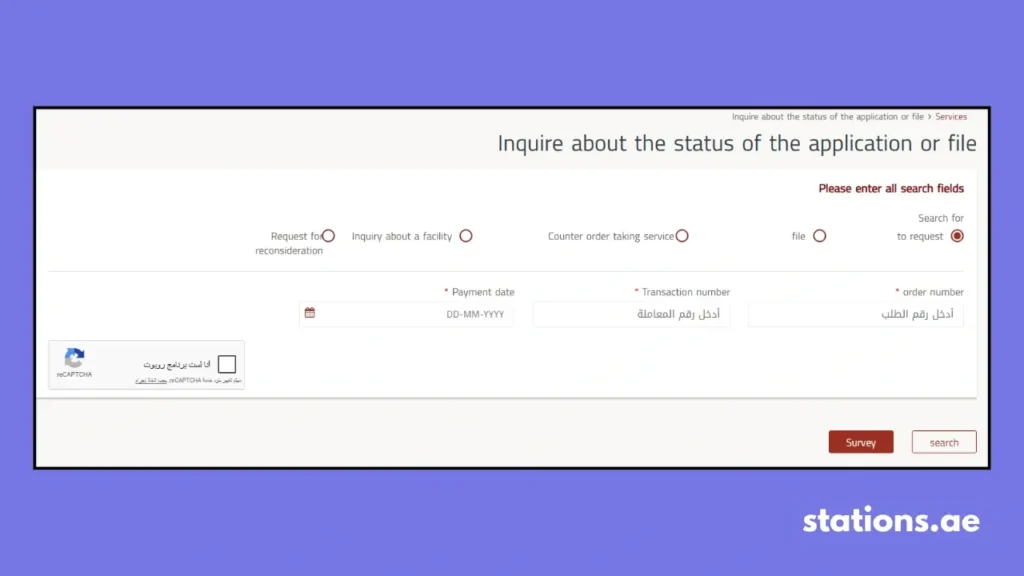
Some readers ask if they can check visa status with an Emirates ID instead of a passport.
Can You Check UAE Visa Status With Emirates ID?
Emirates ID works well for checking your ID card status and application progress. Visa status checks mostly rely on your passport number or file number instead. Do not assume Emirates ID always works for every visa search.
What Information Can You Use Instead?
If Emirates ID does not work for your search, try these options:
- Passport number and nationality
- Unified number (UID)
- Application or file number
The ICP and GDRFA portals both support these alternate search methods. Pick the one that matches the details you have on hand.
Visa Status Check UAE ICP
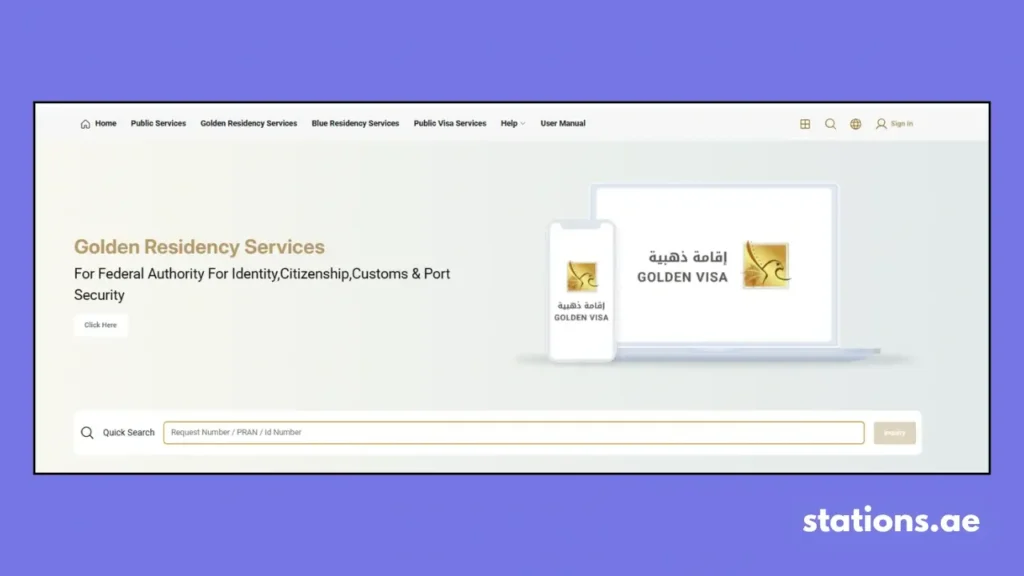
ICP stands for the Federal Authority for Identity, Citizenship, Customs and Port Security. It handles visa and residency services for most of the UAE.
How to Check UAE Visa Status Through ICP Easily
Follow these steps to complete an ICP visa status check:
- Open the ICP Smart Services website.
- Select the relevant visa or status service.
- Choose your preferred search method, such as passport or UID.
- Enter the required information.
- Complete the security verification.
- Submit the search.
- Review your result on screen.
This process applies to searches like visa status check UAE ICP, ICP visa status check, and UAE visa status check online.
Which Emirates Use ICP?
ICP handles visa records for these emirates:
- Abu Dhabi
- Sharjah
- Ajman
- Umm Al Quwain
- Ras Al Khaimah
- Fujairah
If your visa was issued in one of these emirates, use ICP instead of GDRFA.
Visa Status Check UAE GDRFA
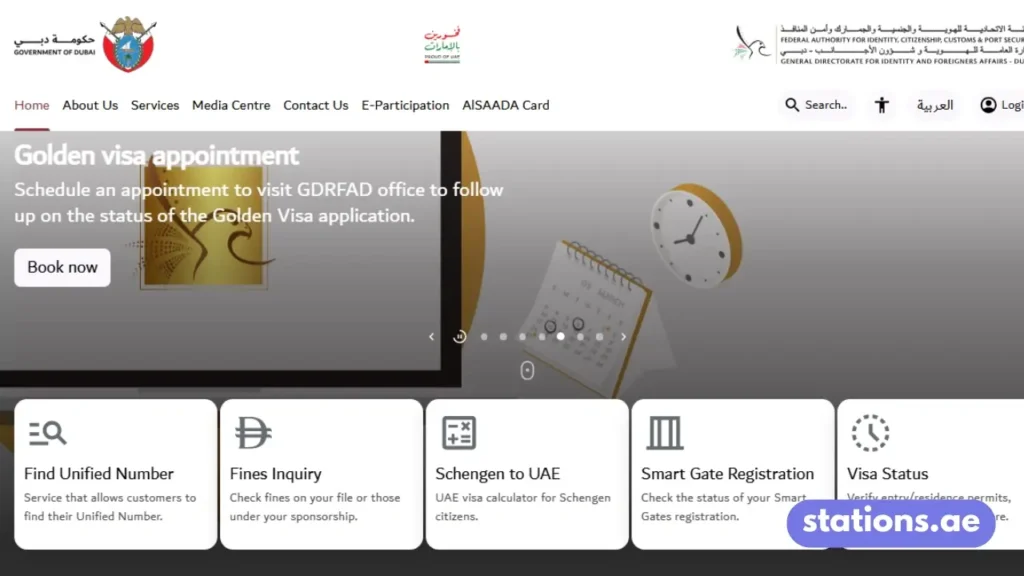
GDRFA is the short form of the General Directorate of Residency and Foreigners Affairs. It handles visa services only for Dubai.
How to Check Dubai Visa Status Through GDRFA Easily
Just follow these steps for a GDRFA visa status check:
- Visit the GDRFA Dubai website.
- Select “File Validity” or “Verify Entry/Residence Permits.”
- Choose your search method, such as passport number or file number.
- Enter your details, including your nationality.
- Complete the security check.
- Submit the form to view your status.
This covers searches like visa status check UAE GDRFA, GDRFA visa status, Dubai visa status, and Dubai visa check.
When Should You Use GDRFA Instead of ICP?
Use GDRFA only if your visa was issued in Dubai. Use ICP for every other emirate. Dubai-issued visas do not show up in the ICP system, and non-Dubai visas do not show up in GDRFA. Picking the wrong portal is the most common reason people see a “Not Found” result.
Visa Status Check UAE Abu Dhabi
Abu Dhabi visa records fall under the federal ICP system, not GDRFA. GDRFA only covers Dubai-issued visas.
How to Check Abu Dhabi Visa Status Online Easily
Follow these steps to check your Abu Dhabi visa status:
- Go to the ICP Smart Services website.
- Select “File Validity” or “Visa Status Inquiry.”
- Search using your passport number or unified number.
- Enter your nationality and complete the verification.
- Submit the search to view your status.
This covers the search term visa status check UAE Abu Dhabi. Remember that Abu Dhabi visas always route through ICP, never GDRFA.
Visa Status Check UAE Visit Visa
Visit visa holders need to track their status closely. Visit visas usually have shorter validity periods than residence visas.
How to Check UAE Visit Visa Status Online Easily
Follow these steps to check a visit visa:
- Visit the ICP or GDRFA website, based on where the visa was issued.
- Select “File Validity” or “Visa Status Inquiry.”
- Search using your passport number or application number.
- Enter your nationality and complete the security check.
- Submit to view your visit visa status and expiry date.
What Basic Details Do You Need for a Visit Visa Check?
You will usually need:
- Passport number
- Passport expiry date
- Nationality
- Application or file number, if available
How to Know If Your Visit Visa Is Still Valid?
Your result screen will show the visa status and the exact expiry date. If your visa status shows “Active” or “Valid,” your visit visa is still in effect. If it says “Expired,” you need to exit the country or apply for an extension right away. These steps cover UAE visit visa status, UAE visit visa tracking, and Dubai visitor visa status.
How to Check UAE Visa Validity and Expiry Date
Did you know Visa status and visa validity are not the same thing? This section breaks down the difference and shows you what to check.
Check UAE Visa Issue Date
Your result screen shows the date your visa was issued. This date shows when your visa validity officially begins.
Check Visa Entry Validity
Entry validity shows how long you have to enter the UAE after your visa is issued. Some visas expire if you do not enter within this window, even if you never used them.
Check Your Permitted Stay Duration
Once you enter the UAE, your permitted stay duration starts. This tells you how many days you can legally stay before you need to renew, extend, or exit.
What Is the Difference Between Visa Validity and Stay Duration?
Visa validity is the window during which your visa document itself remains active. Stay duration is the number of days you are allowed to remain in the country after entry. You can check both on the same result screen.
Visa Status Check UAE Fine
Overstaying your visa leads to daily fines. Checking your fine status online helps you avoid surprises at the airport.
How to Check UAE Visa Overstay Fine Online
Follow these steps to check an overstay fine:
- Visit the ICP or GDRFA website, based on where your visa was issued.
- Select “Fine Inquiry” or “Fines Payment.”
- Choose your search method, such as passport number or Emirates ID.
- Enter your nationality and date of birth.
- Complete the security check.
- Submit to view any outstanding fines.
This covers visa status check UAE fine, UAE visa fine check, UAE overstay fine, and Dubai visa overstay fine.
What Happens If Your Visa Has Expired?
An expired visa triggers a daily overstay fine. The fine adds up fast the longer you wait to act. Some visa types include a short grace period, but you should not count on one.
What Should You Do About an Overstay Fine?
Pay the fine online through the same ICP or GDRFA portal you used to check it. You can also visit an Amer Center or a typing center for help. Settle the fine as soon as possible to avoid travel bans or legal trouble.
What Does Your UAE Visa Status Mean?
Your result screen may show one of several status labels. Here is what each one means.
| Visa Status | Meaning |
| Issued / Approved | Your visa has been issued and is ready to use. |
| Under Process | Your application is still being reviewed. |
| Rejected | Your application was not approved. |
| Active / Valid | Your visa record is currently active and usable. |
| Expired | Your validity or permitted stay has ended. |
| Cancelled | Your visa has been cancelled by you or your sponsor. |
| Not Found | No matching record exists for the details you entered. |
UAE Visa Status Check Shows “Not Found” — What to Do?
A “Not Found” result is common and usually easy to fix. Try these steps in order.
Check Your Passport Number
A single wrong digit will cause the search to fail. Double-check every number before you submit again.
Check Your Passport Expiry Date
Some portals require your passport expiry date to match their records exactly. Confirm the date on your passport’s photo page.
Make Sure You Are Using the Correct Portal
Dubai visas only appear on GDRFA. Every other emirate uses ICP. Using the wrong portal is one of the most common causes of a “Not Found” result.
Check Your Visa Category
Some visa types, like certain free zone or golden visa categories, may need a different search method. Try searching by file number or UID instead of passport number.
Wait for Recent Updates
If your visa was issued or changed in the last day or two, the system may not have updated yet. Try again after 24 to 48 hours.
Contact Your Visa Provider or Sponsor
If the problem continues, contact your sponsor, employer, or visa agent. They can confirm your file number and check for errors on their end.
How Long Does UAE Visa Status Take to Update?
Status updates do not happen instantly. Here is what to expect at each stage.
- After visa approval: Updates usually appear within 24 hours.
- After submission: Your application status may take 1 to 3 working days to show.
- After cancellation: The updated status may appear within one to two days.
- After expiry: Your status changes to “Expired” automatically on the expiry date.
- After extension: Extension approvals typically update within 24 to 48 hours.
If your status has not updated after 48 hours, contact the relevant authority directly.
UAE Visa Status Check Before Travel
Run through this checklist before you travel to or from the UAE.
- Visa status is active
- Entry validity has not expired
- Passport details match your visa record
- Passport validity is sufficient for travel
- Visa type is correct for your trip
- Entry type is confirmed, such as single or multiple entry
- Visa copy is available on your phone or in print
- Fine status is clear, if applicable
Checking each item helps you avoid delays at the airport or border.
Frequently Asked Questions About Visa Status Check UAE
How can I check visa status UAE online?
Visit the ICP or GDRFA website, choose “File Validity,” and enter your passport number and nationality.
Can I check UAE visa status by passport number easily?
Yes. You can check because your Passport number is the most common way to check your UAE visa status online.
How can I check UAE visa status with passport number easily?
Enter your passport number and nationality on the ICP or GDRFA portal, then submit the security check.
Can I check UAE visa status using Emirates ID?
Emirates ID mainly works for ID card status. Use your passport number or file number for most visa checks.
How can I check Dubai visa status through GDRFA?
Visit the GDRFA Dubai website, select “File Validity,” and enter your passport or file number.
How can I check Abu Dhabi visa status?
Use the ICP Smart Services portal, since Abu Dhabi visas fall under the federal ICP system.
How can I check UAE visa status through ICP?
Visit ICP Smart Services, select the visa status service, and search using your passport or unified number.
Conclusion
Checking your UAE visa status only takes a few minutes once you know which portal to use. Use ICP for Abu Dhabi and the northern emirates. Use GDRFA for Dubai. Keep your passport details on hand, check your status regularly, and settle any fines right away to stay compliant and travel without stress. Visit stations.ae for more guides.